ICICI Internet Banking : Get User ID
- Go to the official website of ICICI – https://www.icicibank.com/homepage
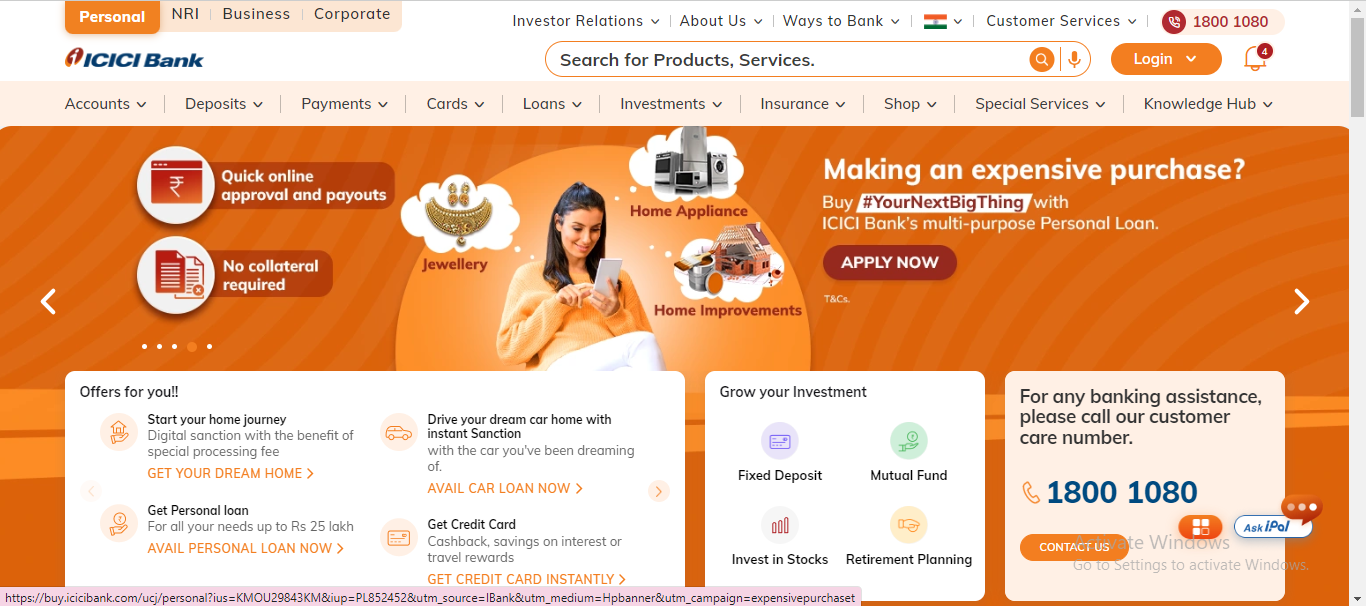
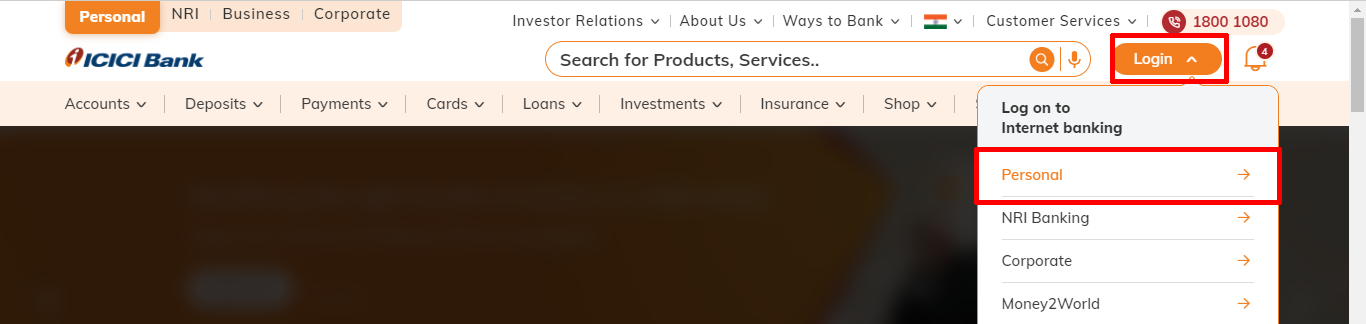
- Then go to “Login” option and select “Personal“.
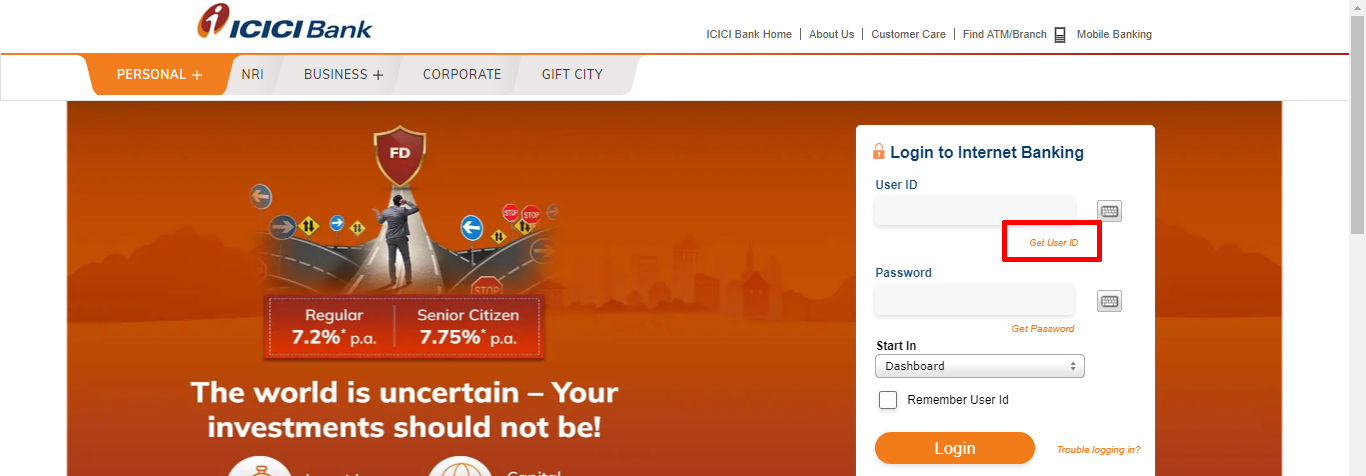
- Click on “Get User ID”. (If you are a new user then first you will need a user ID to login.)
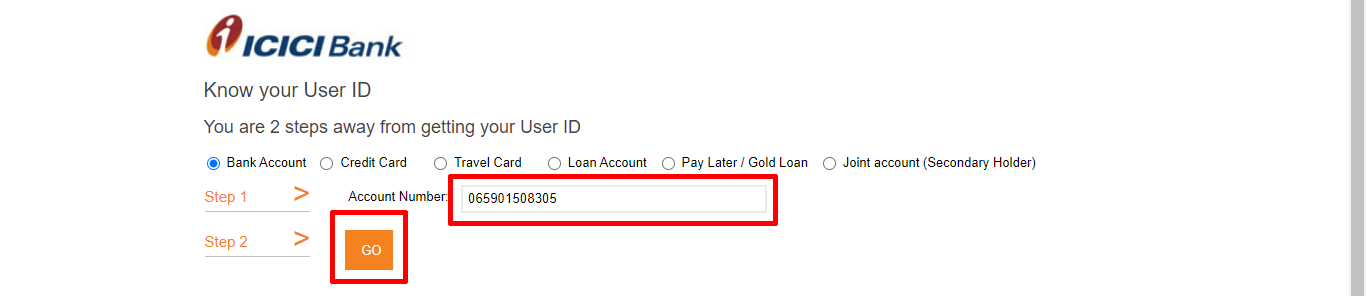
- Enter “account number” and click “Go“.
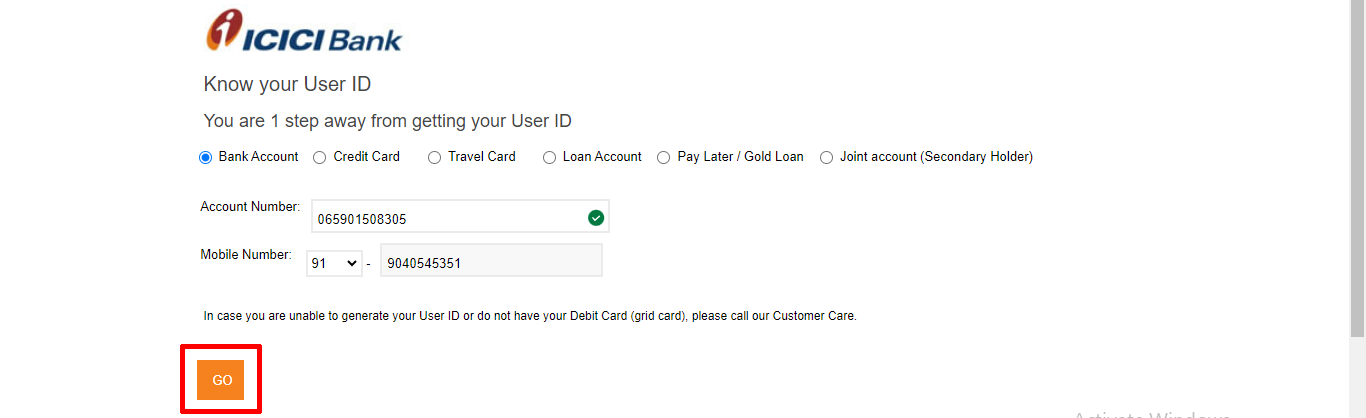
- Your mobile number will be shown, if you confirm then click on “Go“.
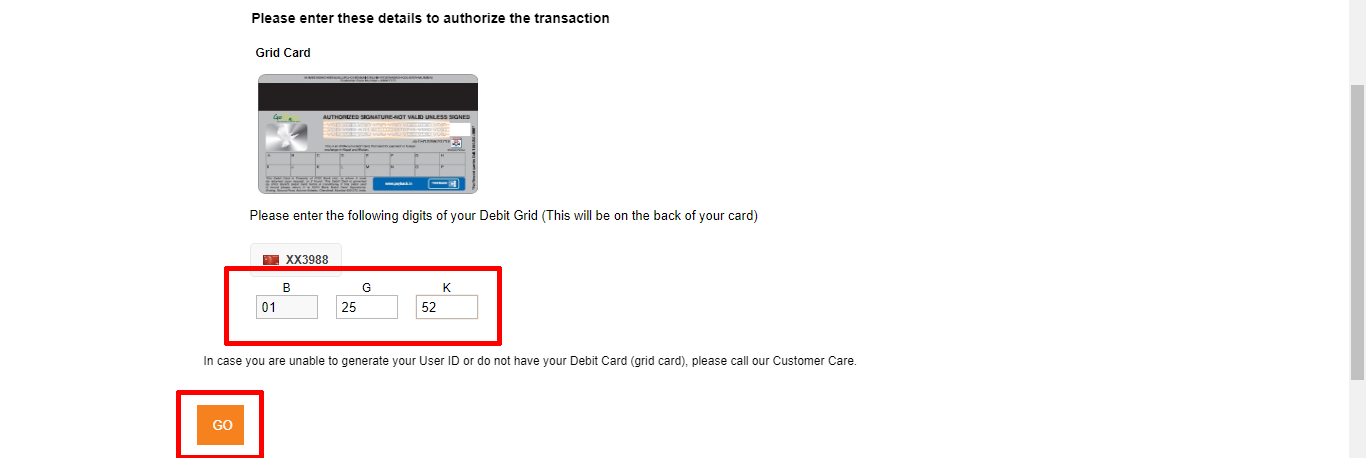
- Enter your Card grid details given on the back of your debit card, then click “Go”.
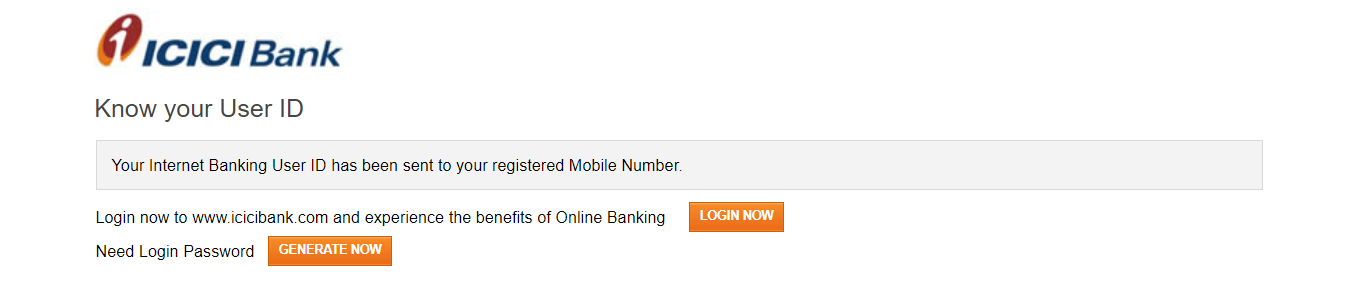
- Your User ID will be sent to your registered mobile number, Check your mobile.
ICICI Internet Banking : Generate Password
- You go to the Home Page again – https://www.icicibank.com/homepage
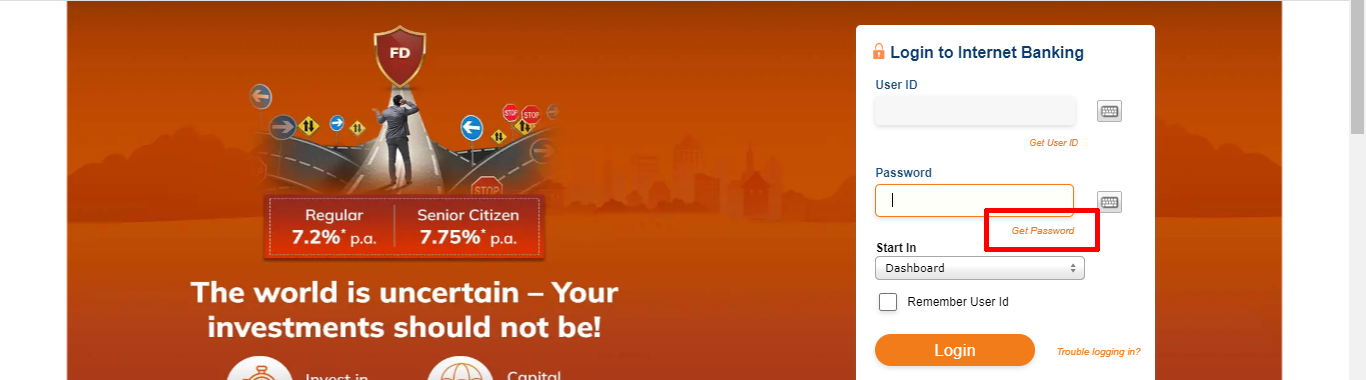
- Then go to “Login” button and select “Personal“.
- Then click on “Get Password” option.
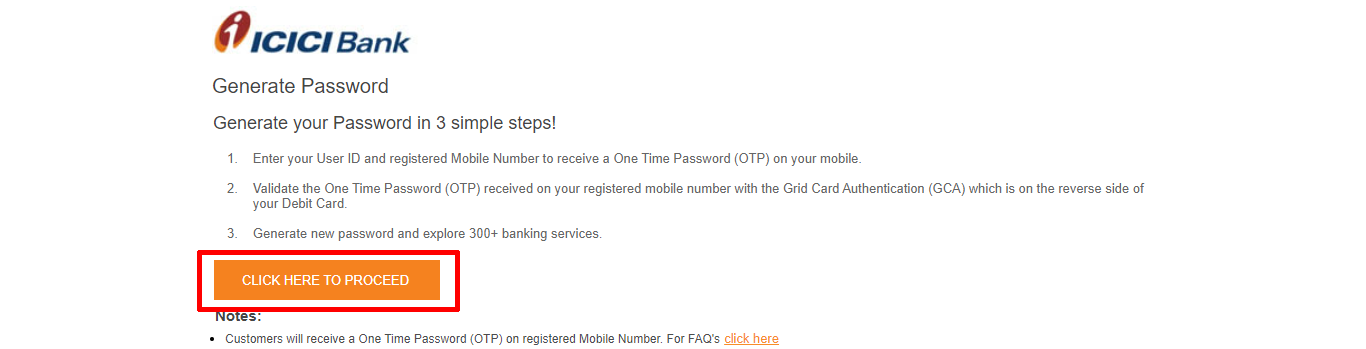
- The flow of getting the password is explained, click on the button “Click here to proceed”.
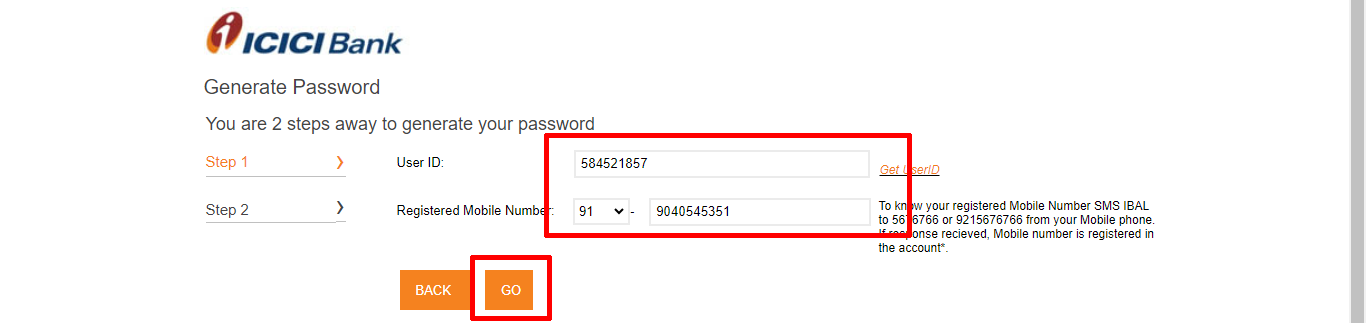
- Enter your “User ID” and registered “mobile number“, click “Go“.
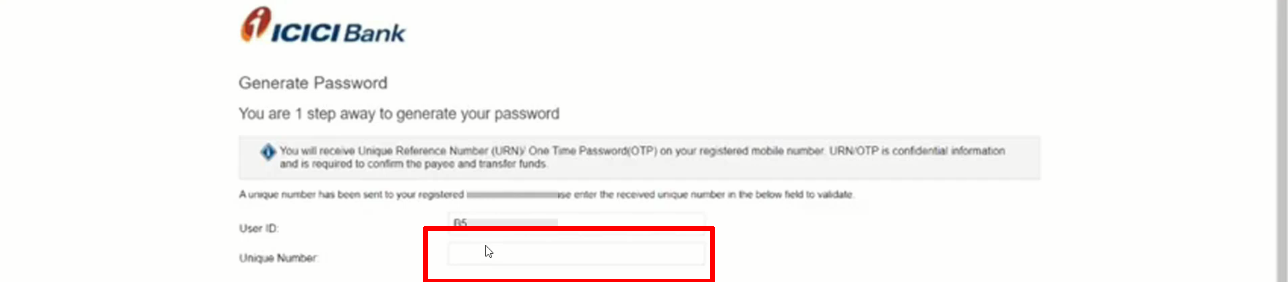
- Enter “Unique Number/OTP” . (You will have received a unique number on your registered mobile.)
- Enter your “Card grid” details given on the back of your debit card, then click “Go“.
- Enter the new password and confirm the new password, click “Go“.

- Then finally your login password is ready, now you can login.

ICICI Internet Banking : First Time Login
- Go to login page again – Click Here to Login
- Hit “Login” button after entering your “User ID” and “Password.”
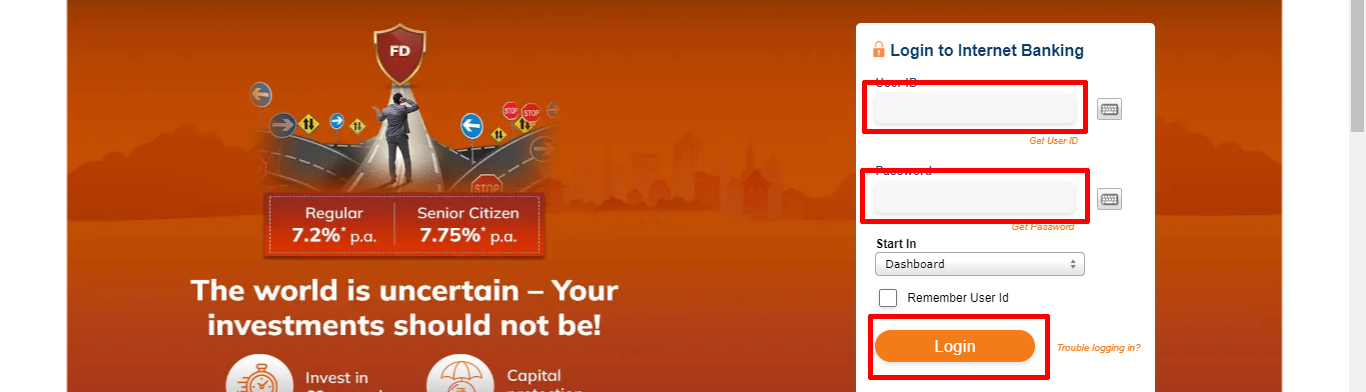
- Enter your old login password, enter your new password and again enter your new password to confirm.
- Click on “Update“.

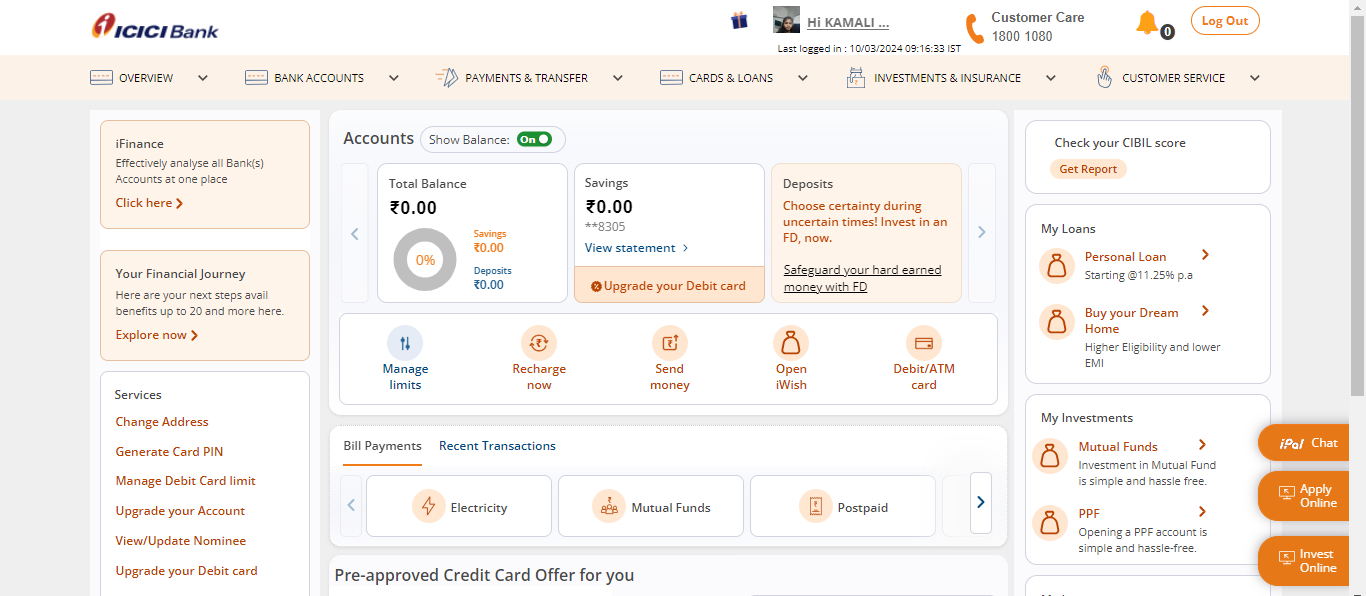
- Then your internet banking login will be done and the dashboard will open. You can access all the Services.
ICICI Internet Banking : Login with Mobile Number
- Visit Official Official Site – Home Page
- After that go to ICICI “Login” page – Login Page
- After going to login page click on “Registered Mobile Number” option
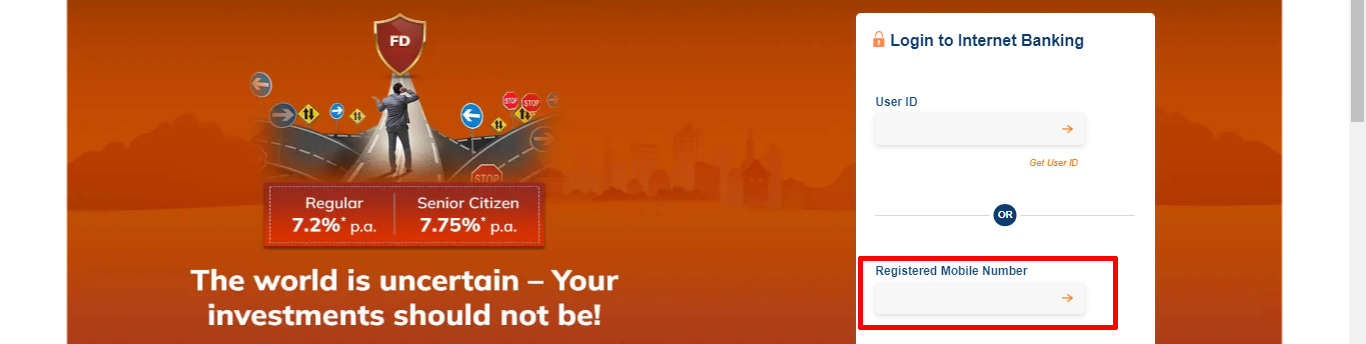
- Enter “Registered Mobile Number”, Enter “Captcha” and Click “Authenticate”.

- Enter your “ATM PIN” and click on “Get OTP“.

- Then enter “OTP”, which is sent to your registered mobile number and click “Login“.
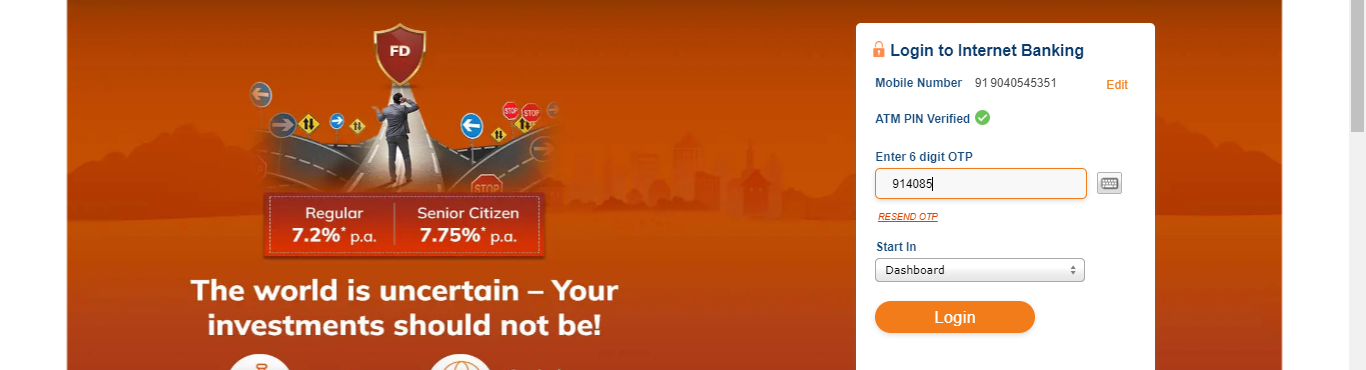
- After that you will reach the dashboardAfter that you will reach the dashboard.
Important Link
| Official Website | Click Here |
| ICICI Login Page | Click Here |
| Download Banking Forms | Click Here |